Clever Games Math Puzzles is a free online set of five arithmetic puzzles that adapt to your level, from multiplication flash cards to number grids. Play these math games online with no sign-up, and see your slowest multiplication facts on a personal map.
How do you play these math games?
Type the answer to the card on the board: it is checked as soon as you have typed it in full. The first multiplication card is already waiting, so you can start without choosing anything. The Mode list next to the level list holds all five puzzles.
- Solve the first card. A short first-move tutorial highlights the card, then the number pad, then the Mode and level lists. Press Skip to dismiss it. It appears only once.
- Pick a puzzle. The Mode list offers Multiplication practice, Make the Number, Math Grid, Number Pyramid and Missing Operator. In Multiplication practice, one button switches between Flash cards, a timed Sprint and a Weak facts drill, and a Fact map button opens your personal map.
- Enter your answer. Use the number pad on a phone, or type digits on a keyboard. A multiplication card is checked as soon as the answer is typed in full, and a right answer brings the next card by itself; after a wrong one, Enter or Next brings it. In Math Grid, Number Pyramid and Missing Operator press Check (or Enter). In the grid and pyramid, tap a cell first, or move with the arrow keys.
- Read the feedback. A correct answer flashes and adds one to the In a row counter. A wrong answer shakes the field and shows the right one. There is no losing and no mistake counter.
- Keep going. New puzzle brings a fresh board, Restart repeats the current one, and Print makes a paper copy with an answer sheet. Open a puzzle type for the first time and a one-line tip appears above the keys.
Keyboard. Digits type the answer, Backspace deletes and Enter confirms. In Make the Number and Missing Operator the keys + − * / pick the operation or sign. In Math Grid, N turns notes on and off. Ctrl+Z undoes a move in Math Grid and Number Pyramid.
The picture shows Multiplication practice: the card on top, the answer field below it and the number pad under that. Your own first card will be a different question.
What are the rules of these free math games?
Each puzzle type has one goal, and the goal is always reachable. Hints are free and unlimited where they exist, and nothing in these puzzles can be lost.
Multiplication practice
Multiply the two numbers on the card and type the product. In Options you choose the tables: one table from 1 to 12, all tables 1–12, or the range that matches your level. Flash cards have no time limit, and the timer only records how long you took: a deck holds 12 cards, and each answer is checked as soon as it is typed in full. A wrong answer shows the right one and goes onto your weak facts map. Sprint gives you 60 seconds, and your score is the number of correct answers. Flash cards and Sprint have no hints, because they test recall.
Make the Number
You get four number tiles from 1 to 9 and a target. Tap two tiles and an operation (+, −, × or ÷) to join them into one new tile, and Swap changes which tile comes first. Keep joining until a single tile is left, so every number is used exactly once: when that tile equals the target, the puzzle is solved. Any route that reaches the target counts, not just the one the generator found. There is no Undo here: Restart sets the four tiles out again. If the total is off, a line tells you what it makes, for example “That makes 18, not 24.” If you left a number out, you will see “Use all four numbers.” Hint shows one step of a solution, such as which two tiles to join with which operation.
Math Grid
Fill an n×n grid with the numbers 1 to n so that no number repeats in any row or column. The thick outlines mark areas, and each area shows a target and an operation: the numbers inside must reach that target with that operation. The grid sizes are 3×3, 4×4, 5×5 and 6×6, and every grid has exactly one solution. A grid that is full but wrong says “Not solved yet.” and lets you keep working. Hint fills in one cell.
Number Pyramid
Every brick equals the sum of the two bricks directly below it. Some bricks are shown, and you enter the rest. Pyramids have 4, 5 or 6 rows, and each one has a single solution. Hint opens one brick.
Missing Operator
An example such as 6 ? 3 ? 2 = 16 has gaps where the signs should be. Choose + − × or ÷ for each gap so that the example is true. The usual order of operations applies, so multiplication and division come first. Any set of signs that works is accepted. There is no hint here, only the order of operations to lean on.
Which levels and modes do these math games online offer?
Every puzzle type has Easy, Medium and Hard. With Auto level on, the level goes up after five correct answers in a row and down after two wrong answers among your last five. To pin a level yourself, open Options, turn off Auto level and pick Easy, Medium or Hard from the level list.
| Puzzle | Easy | Medium | Hard |
|---|---|---|---|
| Multiplication practice | Flash cards, Sprint or Weak facts; tables 1 to 5 unless you pick others | Same three modes, tables 1 to 10 | Same three modes, up to 12 × 12 |
| Make the Number | Target up to 20, exact division only | Target from 24 to 50 | Target from 51 to 100 |
| Math Grid | Addition areas only | Addition and subtraction | All four operations |
| Number Pyramid | Fewer rows, more bricks shown | More rows, more bricks hidden | Tallest pyramids, fewest bricks shown |
| Missing Operator | One gap | Two gaps | Three gaps |
Grid size and pyramid height grow with the level, and the page returns you to your last puzzle type and level when you come back. An unfinished puzzle is restored just as you left it. There is no daily puzzle, since every round is generated fresh. Easy is also the friendliest start for the whole family.
What helps you solve fun math games faster?
Work out what the board must contain before you type anything. A short plan beats repeated guessing.
For multiplication flash cards, build a hard fact from an easy one. If you know 6 × 7, then 7 × 7 is one more seven. Doubling a known fact is another good move: 4 × 8 is double 4 × 4 and then double again.
In Make the Number, work backward from the target. Ask which last step could land on it, such as a product or a difference, and whether your four numbers can build the pieces. Try multiplying the biggest numbers first, then fix the gap with a small number.
In Math Grid, start with the areas that hold a single cell, then use the row and column rule to rule digits out. In Number Pyramid, look for a brick that has both of its neighbors known: the brick above is their sum. A known top brick and one lower brick give the other by subtraction. In Missing Operator, evaluate the multiplication and division parts first, then see which sign joins them to the target.
How does Weak facts work in these multiplication games?
Weak facts is a personal 12×12 map of the multiplication table, and it shows which facts slow you down. Each square shows its product and is colored by your first-try accuracy and average answer time on that fact: unseen, needs practice, building or ready. A symbol marks each state (· ✕ ◐ ●), so color is never the only clue. The First factor and Second factor buttons under the map pick one fact and show its record.
Press Drill weak facts and the page builds a 20-card round from the facts that need you most. Print, while the map is open, gives you a worksheet of those same facts, with a separate answer sheet. Until you have answered about 20 cards, the map says “Answer a few more cards to see your weak facts.” Finish a few Flash rounds and it fills in.
Your results stay on your device. They are not sent anywhere, and clearing your browser data removes them. Share passes on a link with your practice settings, never your fact map or your answers.
These are the multiplication games that make the most of a single minute: Flash cards show you what is slow, the map points to it, and a short drill goes straight at it. Whether you came for a multiplication game or for puzzle practice, this loop keeps each round short and useful.
Who are these free multiplication games especially useful for?
Students can pick one table, practice it without a clock and print the worksheet. Teachers can print a Weak facts sheet and its answer key for a class or a tutoring session, or put a Make the Number target on the board and ask for different solutions.
Families can start on Easy and let everyone take turns on the same board. Seniors will find grids and pyramids a calm way to keep arithmetic sharp, with no time limit on the puzzles. Commuters can fit a 60-second Sprint into a short wait. Anyone returning to mental math after a long break can start with the 2 and 5 tables and add more as they get quicker. The tables are named by number, so you can match them to whatever a class is learning without using age labels.
What makes great math games worth playing?
Good practice is short, clear and gives feedback straight away. Here the answer check takes under a tenth of a second, the right answer appears after a miss, and the puzzles never punish you.
Regular practice helps you recall multiplication facts faster and read number relationships more easily. Grids and pyramids give your logic something to chew on. Make the Number rewards trying several routes to the same target, and Missing Operator makes you think about the order of operations. You can play for a minute or for an hour. We do not promise any measurable gain in test scores or ability, only practice that is easy to repeat.
What is the background of these online math games?
Multiplication tables are among the oldest teaching tools: clay tablets from ancient Babylon already list products. Learning them by repeated recall is the idea behind flash cards, and Weak facts adds a map so you can see where the recall is slowest.
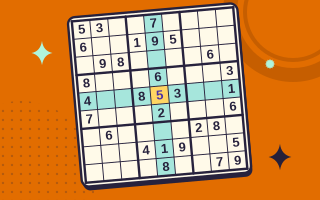
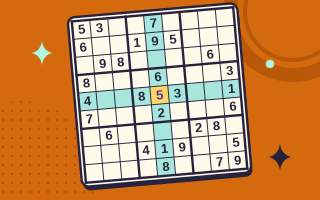
Math Grid builds on the Latin square, a table where every symbol appears once in each row and column. Leonhard Euler studied these squares in the 18th century. A Japanese teacher added arithmetic areas to the idea in 2004, which is where the target-and-operation puzzle comes from. Number pyramids come from the idea of adding neighbors, as Pascal’s triangle does, and expression puzzles such as Make the Number are a classic classroom exercise in the order of operations.
Clever Games generates every board with its own code and checks that each one is solvable before you see it. Make the Number always has a solution, Math Grid and Number Pyramid have exactly one, and Missing Operator has at least one correct set of signs. Tools and licenses are listed in Credits.
What are the most frequently asked questions about these math games?
Are these online math games free?
Yes. You can play every puzzle, print worksheets and use the Weak facts map for free, and you never need an account. If you want to play math games free of sign-ups, you can start the first card right away.
Where can I find multiplication games free to print?
Open Multiplication practice, choose your tables in Options and press Print. You get a worksheet and a separate answer sheet. With the Fact map open, Print gives the 20 facts of your weak-facts drill, and it is free like everything else on the page.
Can I use multiplication flash cards with a keyboard?
Yes. Type the digits: the answer is checked as soon as it is complete, and a right one brings the next card by itself. After a wrong answer, Enter brings the next card. You never need to click the answer field first, so a full deck takes no mouse at all. The on-screen number pad does the same on a touch screen.
Can I choose one multiplication table?
Yes. In Multiplication practice, open Options and step the Tables control to one table, such as Table 7, to concentrate on it. All tables 1–12 gives a mixed deck, and Level range follows your level.
What happens after a wrong answer?
The correct answer appears and the field shakes, then Enter or Next brings the next card. The fact is saved on your Weak facts map so you can drill it later. The In a row counter starts over, but there is no losing and no error count.
Does Hint change my result?
Hint is free and unlimited in Math Grid, Number Pyramid and Make the Number. The result panel for a puzzle shows your time and the number of hints you used, so you can see how much help you took. Flash cards, Sprint and Missing Operator have no hint.
Is my Weak facts map private?
Yes. The map lives only in your browser on this device. It is not uploaded, and another device starts with its own empty map. Clearing site data removes it.
Does the page work offline?
After the page has loaded once, the puzzles run in your browser without a connection, and your progress is saved on this device. Private browsing modes may not keep that progress.